Checklists are useful. They are also frequently asked to do a job they cannot do. A list of tasks does not automatically define who owns the work, what starts it, what information is required, or what happens when reality does not cooperate.
That distinction matters because the wrong diagnosis creates the wrong fix. Small businesses rarely need more corporate process for its own sake. They need enough structure that capable people can move work, see what matters, and handle normal decisions without everything routing back to one person.
TL;DR
- A checklist lists tasks; a system connects triggers, owners, information, and follow-up.
- Checklists work best inside a larger workflow.
- Visibility and accountability make the difference.
What is really happening
For owners using scattered checklists, the visible problem often looks personal: someone is slow, someone forgot, someone did not communicate, or the owner needs to pay closer attention. The operating question is different: what about the current system makes this outcome likely?
Real operations create pressure at the seams—where work changes hands, where a decision is ambiguous, where information is missing, or where an exception does not fit the normal path. Those seams deserve more attention than another broad reminder to “communicate better.”
Signs this is an operating problem
- checklists exist but work still depends on reminders
- employees complete boxes without understanding the outcome
- nobody knows who follows up on exceptions
- multiple checklists overlap or contradict one another
- a task can be checked off even though the customer or next department is still waiting
One of these signs by itself may be normal. Several of them appearing every week is a pattern. Patterns should be treated as design feedback.
What owners commonly get wrong
The common mistake is documenting from memory or from the ideal process instead of watching the real work. That produces procedures employees technically “have” but do not trust when real conditions get messy.
What to do instead
1. Use a checklist only after the workflow has a clear trigger
Use a checklist only after the workflow has a clear trigger.
Use real examples from the last two weeks. Abstract discussions make weak processes sound cleaner than they are. A live job, order, customer issue, or employee question will show where the friction actually sits.
2. Name the role that owns completion
Name the role that owns completion.
Be specific enough that two competent people would interpret the rule the same way. Words like “soon,” “urgent,” “complete,” and “handle it” are often where ambiguity hides.
3. Define the required inputs before the checklist starts
Define the required inputs before the checklist starts.
Responsibility without authority creates escalation. Authority without visible limits creates risk. The business needs both the responsibility and the boundary.
4. Add decision points for common exceptions
Add decision points for common exceptions.
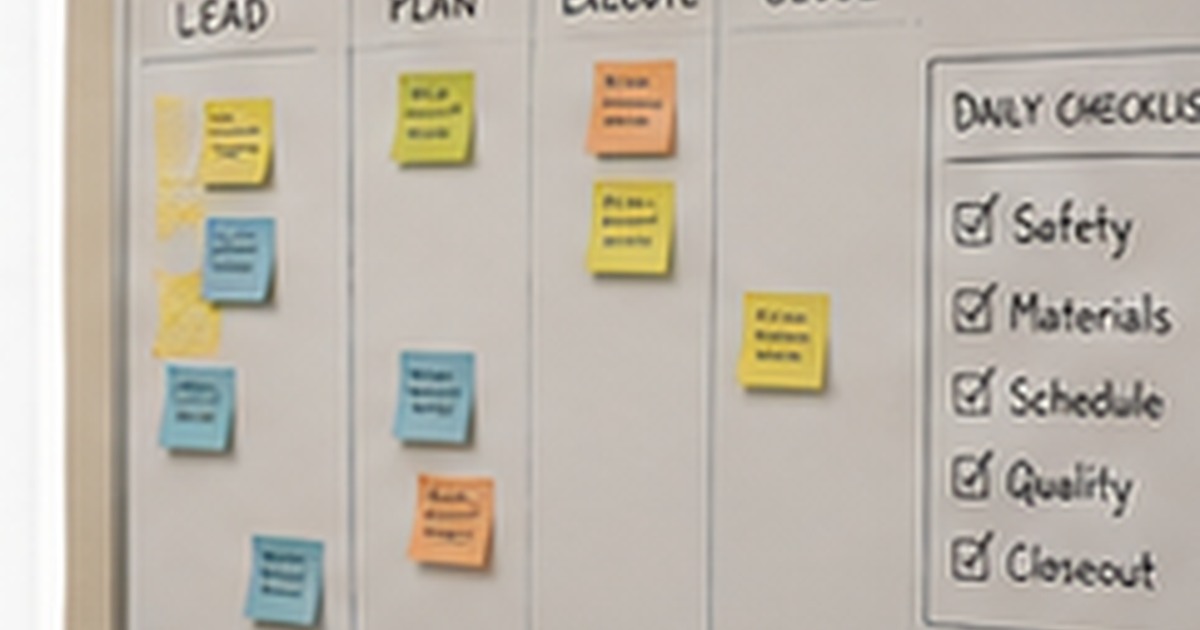
Visibility should reduce the need to ask. A simple reliable queue or board is more useful than a sophisticated dashboard nobody trusts.
5. Make status visible while the work is open
Make status visible while the work is open.
6. Define the handoff or evidence that proves the work is done
Define the handoff or evidence that proves the work is done.
What this looks like in the real world
A vehicle-prep checklist can confirm fluids, equipment, and paperwork. The operating system around it must still decide when prep begins, who owns defects, how shortages are escalated, and what releases the vehicle to the next stage.
The exact tool is secondary. A whiteboard, spreadsheet, project system, CRM, ERP, form, checklist, or automation can all work when the operating logic is clear. None of them can rescue vague ownership or invisible decisions by themselves.
What good looks like
A healthier operation does not mean nothing ever goes wrong. It means normal work moves without heroics, exceptions become visible early, employees know the limits of their authority, and the owner is involved because a decision truly requires ownership—not because the system ran out of answers.
- Work has a clear owner.
- Status is visible without a scavenger hunt.
- Common decisions have boundaries.
- Exceptions have an escalation path.
- The process can survive a normal absence.
- Improvements reduce work instead of adding administrative theater.
The bottom line
The checklist is one component. The operating system is the network of ownership, information, decisions, timing, and follow-through that makes the checklist matter.
If the same operational headache keeps returning, the answer is rarely another motivational speech or another layer of reminders. Start with the workflow, ownership, handoffs, information, and decision rules that keep reproducing the problem.
Orderly Untamed works hands-on with owner-dependent businesses to diagnose those recurring problems, build the missing structure, and make the changes work inside the actual operation.